


No app needed
Hold it up. Anyone can scan it.
Event attendees scan your badge, see your profile and save your contact as a vCard. Nothing to install, nothing to sign up for.
Swap details at meetups and conferences in seconds, start better conversations, and remember everyone you meet.
For iPhone. The people you meet scan your badge with any phone camera.
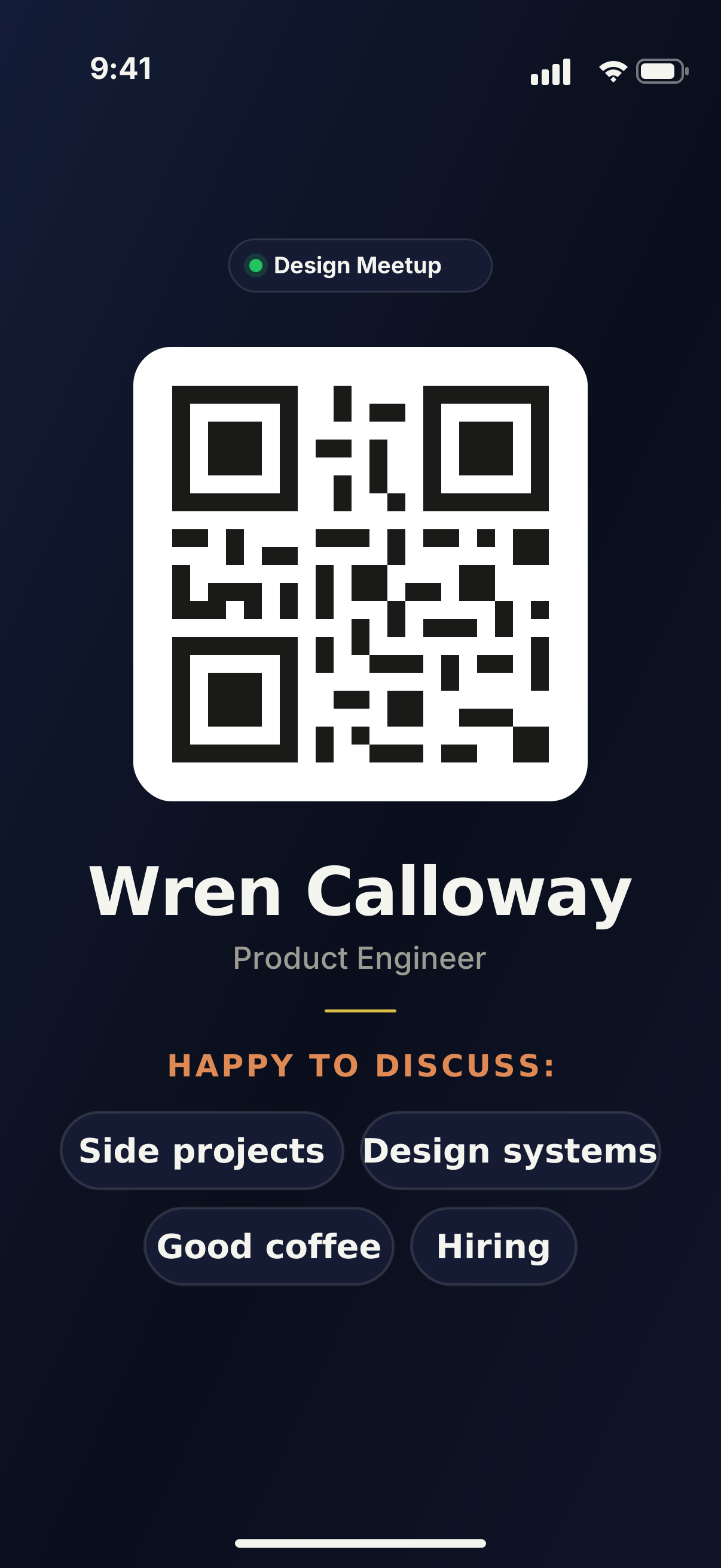
Happy to discuss:
How it works
Hold up your badge. The people you meet scan it to get your details and see what they can ask you about.
No app needed
Event attendees scan your badge, see your profile and save your contact as a vCard. Nothing to install, nothing to sign up for.
On your badge
Your badge shows the topics you are happy to discuss, so people know what to ask you about.
Happy to discuss:
After the event
Every badge you scan is grouped by the event where you met, along with your notes on the person or topics you discussed.
Maya Okafor
Product Designer, Northwind
Asked about design systems
Daniel Reyes
Engineering Manager, Fieldstone
Scanned your badge
Hiring in the spring
Priya Nair
Founder, Tidepool Labs
7:48 PM
Example people
Looking forward
Save an event from its web page, scan the organizer's code, or type it in. When the day comes, it's already on your badge.
Design Meetup
Today, 6:30 PM
The Glasshouse, Pier 9
ActiveProduct Salon
Lantern Hall
7:00 PM
Founders Breakfast
Copper Kettle Café
8:30 AM
Example events
Get started
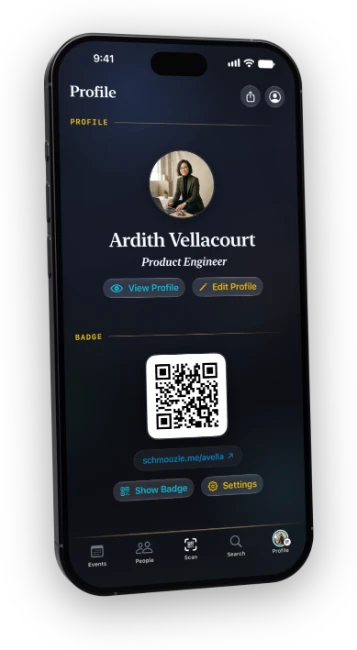
Once you install the app, add your name, your role and up to four topics you would like to discuss with people you meet or that you are curious about.
Tap Show Badge and hold up your phone. It shows your name, your discussion topics and a code anyone can scan.
Scan someone's badge to save their details and the event where you met, and add any notes while the conversation is fresh.